
Tab title countdown
See your remaining focus time in the browser tab itself. No switching, no interruptions — just a quick glance at the tab bar.
Browser-first focus tool
Most of your work already happens in Chrome. PomodoroTab keeps your timer, tasks, and focus streaks in the same place — visible in your tab title or side panel, without breaking your flow.
Free to use. No account required. Works in Chrome, Edge, and Firefox.
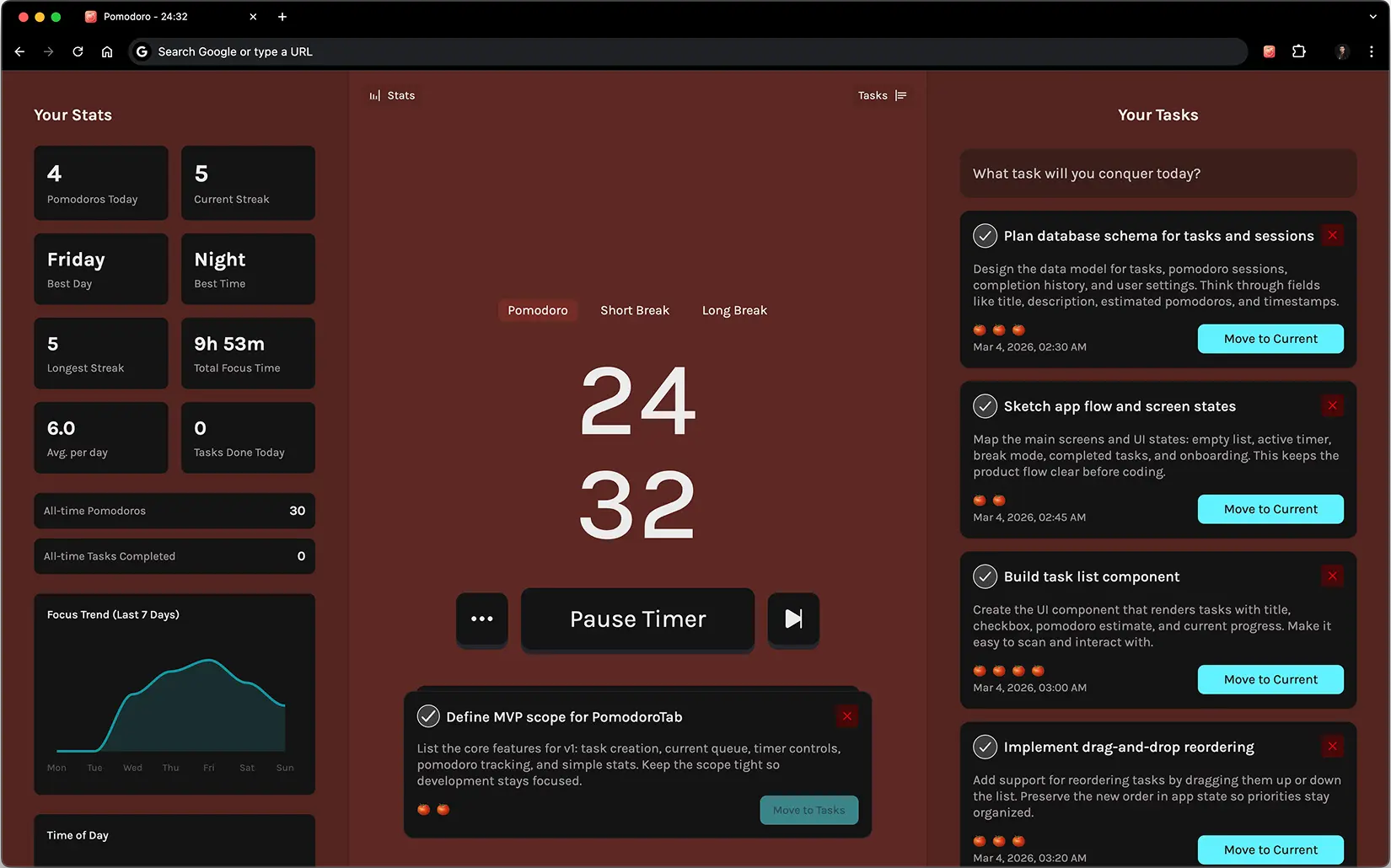
Why it works
Phone timers create exactly the kind of interruption you are trying to avoid. Switching to a separate app breaks your context. PomodoroTab solves both: the countdown stays visible in your tab title, so you always know how much time is left without leaving the page you are working on.
It is not trying to be a project manager. It gives you a focused loop: decide what to work on, run your session, mark it done. The streak and history data are just enough to help you show up consistently the next day — not enough to become another thing you have to manage.
Side panel support means your timer lives alongside your docs, tickets, or code review without taking up a tab. Zen mode strips everything else away when you want complete silence.
Features
Tab title countdown
See your remaining focus time in the browser tab itself. No switching, no interruptions — just a quick glance at the tab bar.
Tasks and pomodoros together
Add tasks, estimate how many sessions each will take, and move from planning to focused work without leaving PomodoroTab.
Side panel access
Keep PomodoroTab open alongside any page in Chrome or Edge. Your timer and task list stay visible while you work without occupying a tab.
Zen mode
Strip the interface down to the timer and current task when you need complete focus. One click, no distractions.
Custom session flow
Adjust pomodoro and break durations, enable sound alerts, and auto-start the next session — configure the rhythm that fits your work style.
Lightweight stats
Track streaks, completed sessions, and your peak focus hours. Enough data to improve your habits — not so much it becomes a distraction itself.
The loop
Each day starts with a short planning step: add the tasks that matter today and set an estimate in pomodoros. Then start your first session and let the timer do the rest.
A better fit for browser work
If your day already happens across docs, tabs, tickets, and messages, your timer should live there too — not on your phone or in a separate desktop app.
FAQ
PomodoroTab is a browser-first pomodoro timer and task list for people who already spend most of their day in Chrome, Edge, or Firefox. It runs directly in your new tab page, side panel, or as a web app at pomodorotab.com/app — no extra windows or phone timers needed.
Yes. With PomodoroTab Plus you can change pomodoro, short break, and long break durations to match your workflow. The free tier uses the classic 25/5/15 defaults.
No. You can plan tasks, set pomodoro estimates per task, track completed sessions, review focus streaks, and see your best time-of-day performance — all in one lightweight workspace.
PomodoroTab is built for browser workflows. The countdown shows in your tab title so you can track time without switching tabs. The side panel keeps it alongside any page you work on. And the task list connects directly to your sessions so planning and execution stay in one place.
Your tasks and settings are stored locally in your browser. To use PomodoroTab on another device, open the web app at pomodorotab.com/app or install the extension and redeem your Plus license key on the new device.
Both give you the full PomodoroTab experience. The browser extension adds tab title countdown and side panel support so it feels like part of the browser. The web app at pomodorotab.com/app works without installing anything — useful if you are on a shared or managed computer.
Open the web app or install the extension and start a 25-minute focus session in seconds. The free tier has everything you need to build the habit.