
Free online pomodoro timer
Start a focus session in seconds — no signup required.
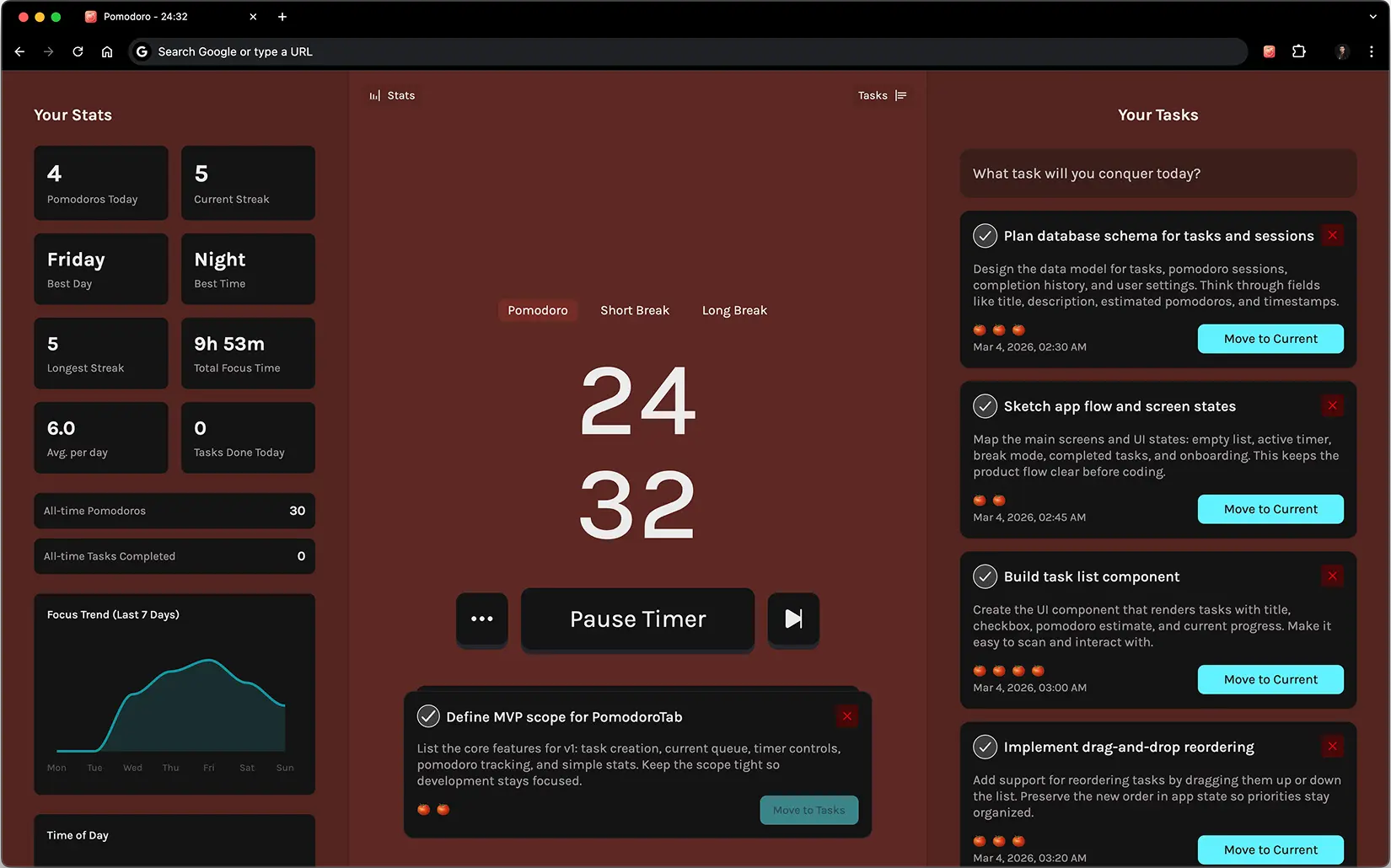
PomodoroTab is a free online pomodoro timer with a built-in task list, tab title countdown, and focus streaks. Open the web app and start your first 25-minute session right now.
Works in Chrome, Edge, Firefox, and any modern browser. Free forever.
How it works
How to use this online Pomodoro timer.
The Pomodoro Technique breaks your work into focused 25-minute sessions followed by short breaks — a rhythm designed to sustain concentration over a full day without burning out.
- Add tasks and set estimates. Before you start, list the tasks you want to work on today and set a rough estimate of how many pomodoros each will take. This turns a vague to-do list into a concrete schedule.
- Start a 25-minute session. Pick one task and start the timer. Stay with that single task until the timer ends — no switching, no quick checks.
- Take the break. When the session ends, take a real 5-minute break away from the screen. After four sessions, take a longer 15–30 minute break.
- Track your progress over time. PomodoroTab logs completed sessions, tracks your streak, and shows your best focus hours — so you can plan tomorrow around the times you actually work best, not when you think you should.
Browser-first workflow
Why a browser-based pomodoro timer works better.
When your work already happens in tabs, docs, tickets, and messages, a timer that lives in the same place is easier to use consistently.
- vs. phone timer: No unlock screen, no notification interruptions, no context switch. The countdown stays in your tab title.
- vs. desktop app: No extra window to manage. PomodoroTab lives in the browser you already have open.
- vs. other online timers: Most online timers are just a clock. PomodoroTab connects your timer to your task list so planning and execution happen in one place.
- vs. browser extension alone: The web app means you can use it on any computer without installing anything — useful on shared or managed machines.
New to the Pomodoro Technique?
The guide covers the full method — how it works, when to use it, and how to adapt it to real professional workflows.
FAQ
Common questions
Is this online pomodoro timer free?
Yes. The core timer, task list, and basic stats are completely free with no account required. A 7-day trial of Plus features is included automatically on every new install.
Does it work on mobile?
The web app at pomodorotab.com/app works in any modern mobile browser, but the experience is optimized for desktop use. The browser extension is available for Chrome, Edge, and Firefox on desktop.
Can I use it without installing anything?
Yes. Open pomodorotab.com/app in any browser and start a session immediately — no installation or sign-up required.
How is PomodoroTab different from other online pomodoro timers?
Most online timers are just a clock. PomodoroTab combines the timer with a task list, session estimates, streak tracking, and a tab title countdown — so your focus tool and your task manager are the same thing.